How to Get an iPhone Alert When Your Mac at Home Goes Offline
If you leave a Mac running at home or in the office, as a media server, for remote access or just to keep a job going, you want to know when it loses its internet. The catch: a Mac that's offline can't send you anything. Here's how to get an alert on your iPhone anyway.
Why the Mac can't tell you itself
Any alert your Mac sends needs the internet to reach your phone. The moment the connection drops, that path is gone. So the alert has to come from somewhere else: a server outside your home that notices your Mac has gone quiet.
This is called a heartbeat (or a dead man's switch). Your Mac checks in with a server every so often. As long as the check-ins keep arriving, all is well. When they stop, the server sends the alert to your phone.
Option 1: build it yourself
If you're comfortable in Terminal, you can set this up with a free heartbeat monitoring service such as healthchecks.io:
- Create a check there and set how often your Mac should check in (for example every 5 minutes) and how long to wait before alerting.
- On your Mac, schedule a command that calls the check's URL on that interval, for example with a launchd job running
curl. - Connect the service to a notification app on your iPhone.
It works, but you maintain the script and the schedule yourself, and a Mac that's asleep or shut down on purpose looks the same to the service as one that lost its internet, so expect alerts every time it sleeps.
Option 2: NetCheck with Heartbeat Relay
NetCheck for Mac has this built in. With Heartbeat Relay turned on, your Mac checks in with our server, and when the check-ins stop, the server alerts your iPhone or iPad in the free NetCheck Relay app.
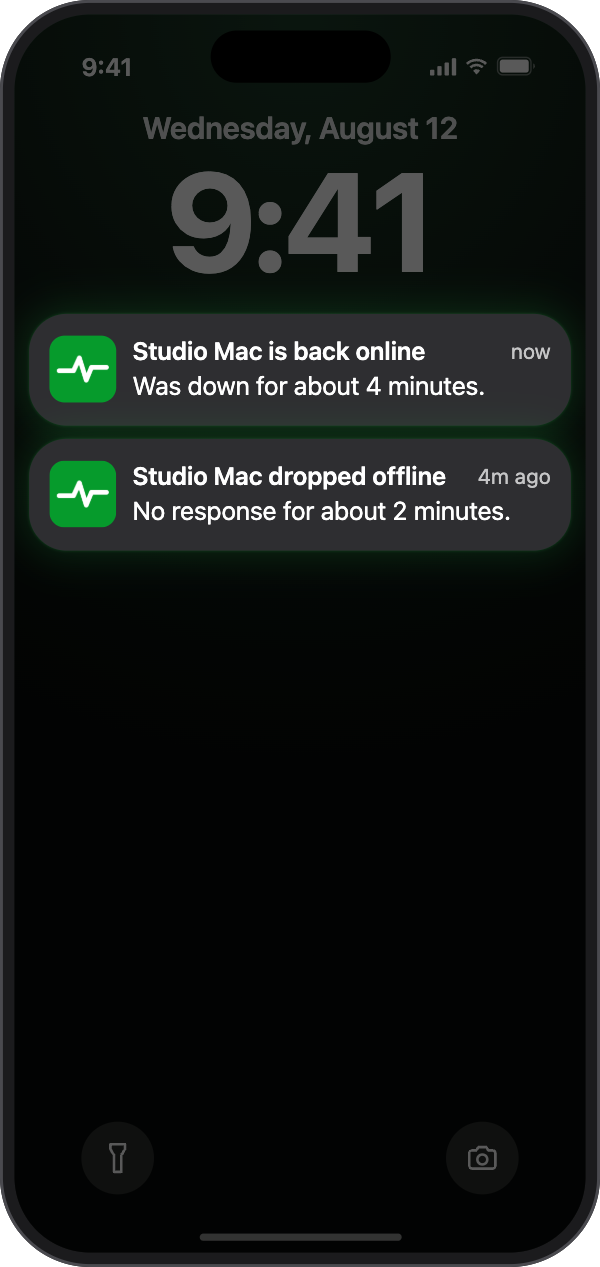
- The offline alert typically arrives about 2 minutes after your Mac drops.
- A second alert tells you when the Mac is back online, and how long it was down.
- A Mac that's asleep or shut down isn't reported as an outage, so there's no need to keep it awake. NetCheck Relay shows it as Asleep or shut down, so you can still see its state.
- Pairing is done by scanning a code, with Sign in with Apple, and up to five iPhones or iPads can be paired with one Mac.
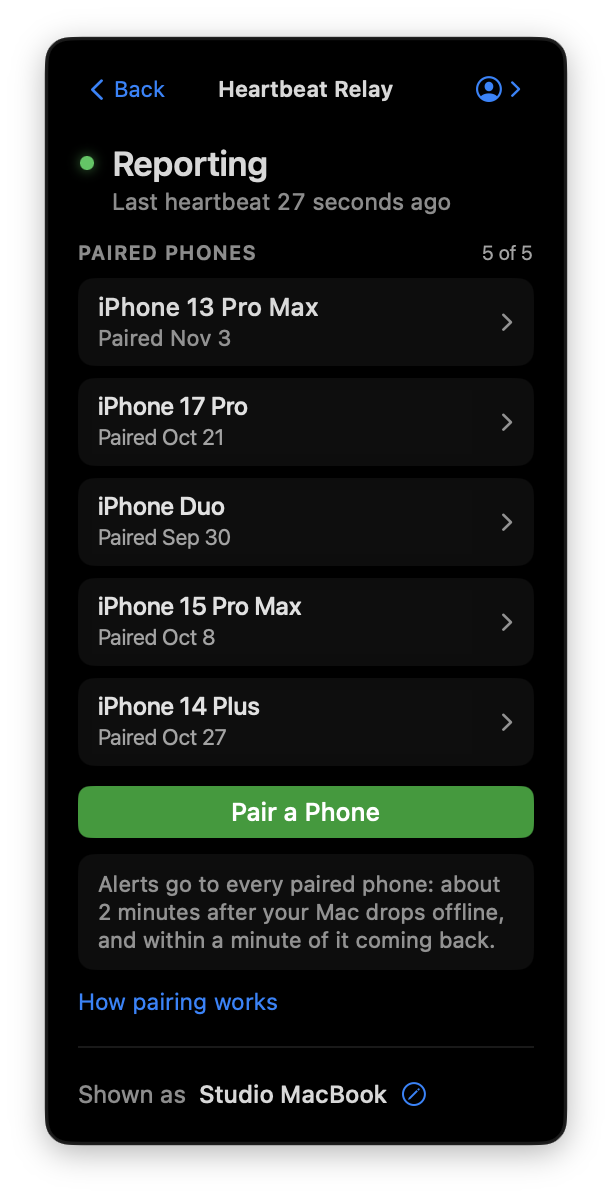
Heartbeat Relay is a subscription: $1.99 a month or $14.99 a year, with the first week free for new subscribers. It's separate from NetCheck Pro, and NetCheck Pro isn't required. NetCheck needs macOS 15 or later; NetCheck Relay needs iOS 18 or iPadOS 18 or later.
Only need to know when it's back?
NetCheck Pro ($14.99, one-time) includes Back Online Alerts: when your Mac's internet comes back, it sends a message to your phone with how long it was down, through a notification service you choose. It can't tell you while the Mac is still offline; that's what Heartbeat Relay is for.
NetCheck is free on the Mac App Store. Heartbeat Relay is an optional subscription inside it, and NetCheck Relay for iPhone and iPad is free.
Get NetCheck About NetCheck RelayFrequently Asked Questions
Does this catch a power cut?
Yes. When a Mac goes to sleep or shuts down, it tells the server first, which is why that isn't reported. A power cut gives it no chance to, so the check-ins simply stop and you get the offline alert.
Does my iPhone need to be on the same network?
No. Your iPhone or iPad only needs its own internet connection, mobile data or any Wi-Fi, to receive the alert.