NetCheck Relay app icon iPhone · iPad

NetCheck Relay

Know when your Mac goes offline, and when it's back.

A Mac that has lost its internet connection cannot send its own alert. NetCheck Relay works the other way round: your Mac checks in with our server, and when the check-ins stop, the server alerts your iPhone or iPad. It is the companion app to NetCheck for Mac.
Features

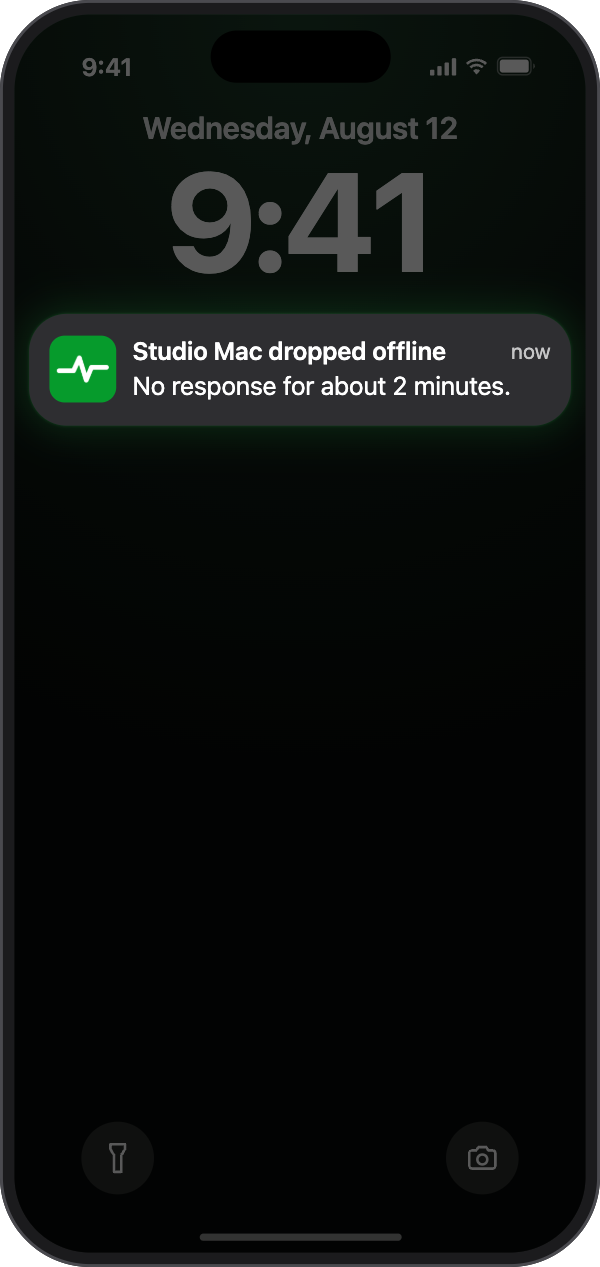
  1. A notification names the Mac and tells you it has stopped responding. Alerts are sent as time-sensitive notifications.

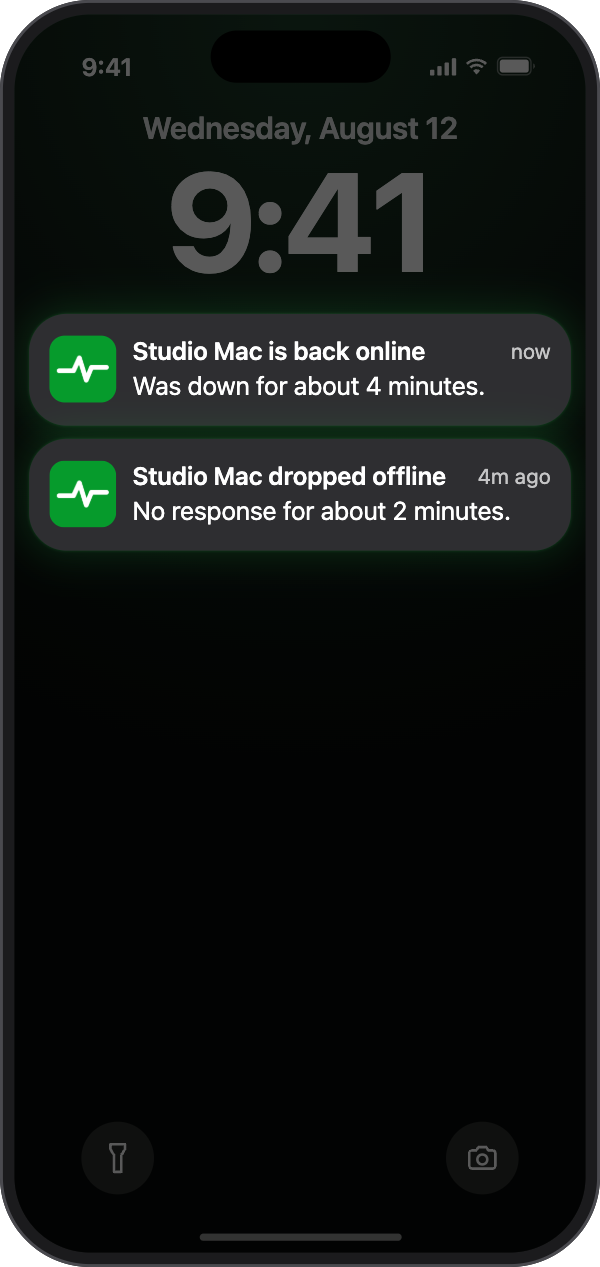
  2. A second notification tells you your Mac is online again, and how long it was down.

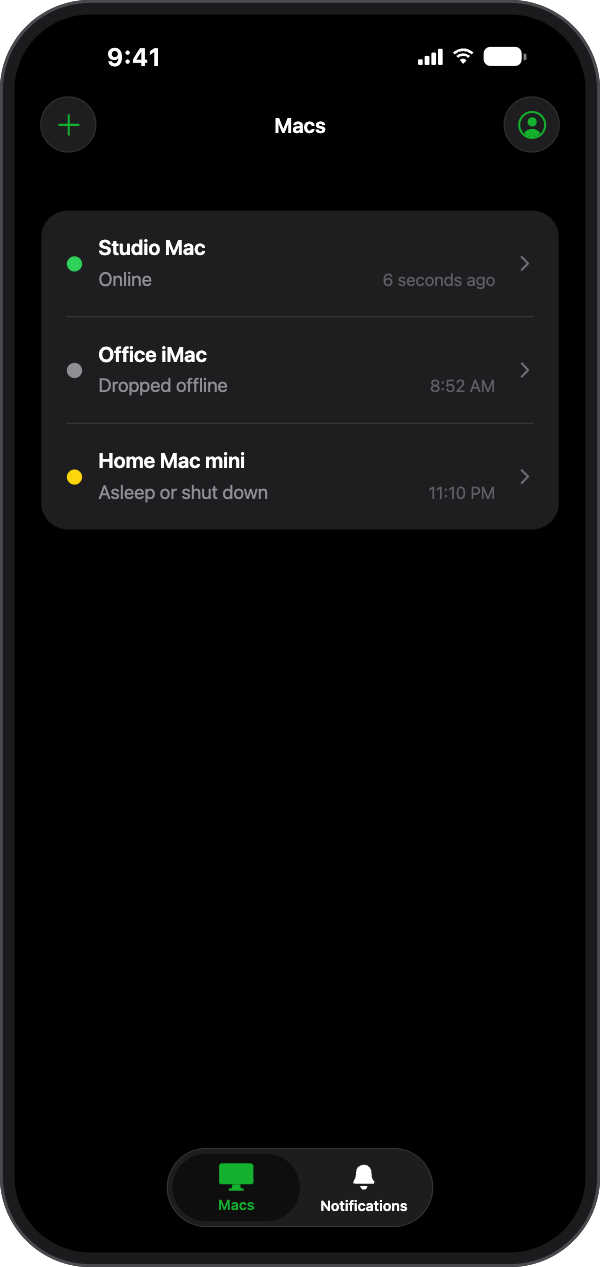
  3. Each paired Mac shows as Online, Dropped offline, or Asleep or shut down. A Mac you put to sleep or shut down on purpose is not reported as an outage.

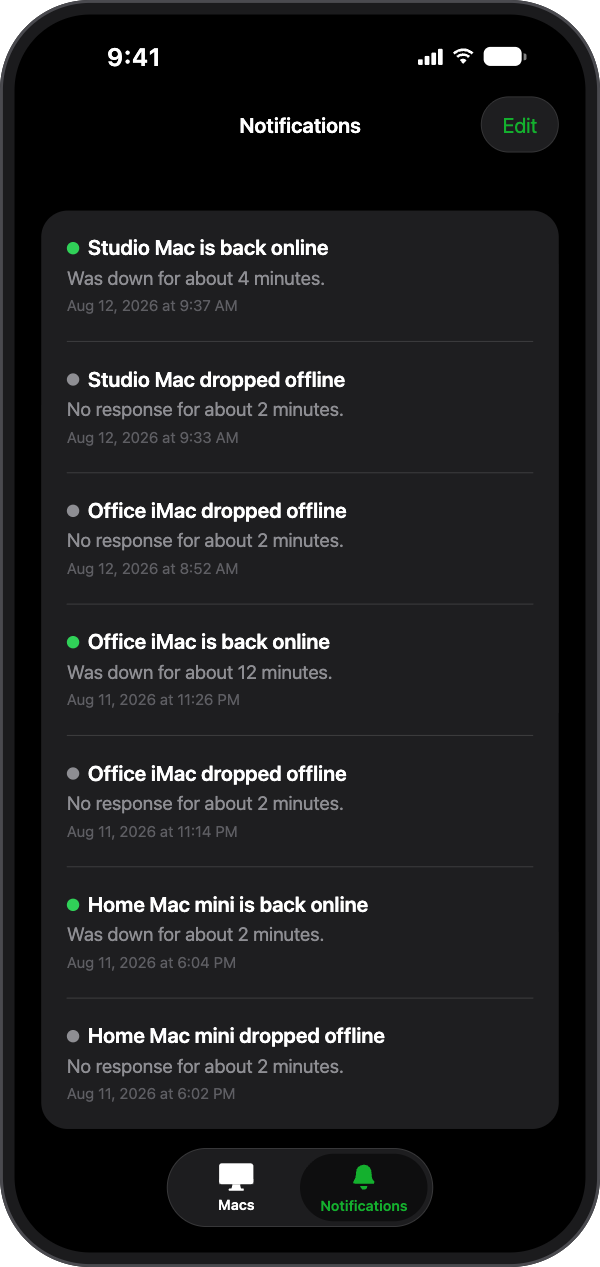
  4. The Notifications tab keeps the alerts you were sent, each with its date and time.

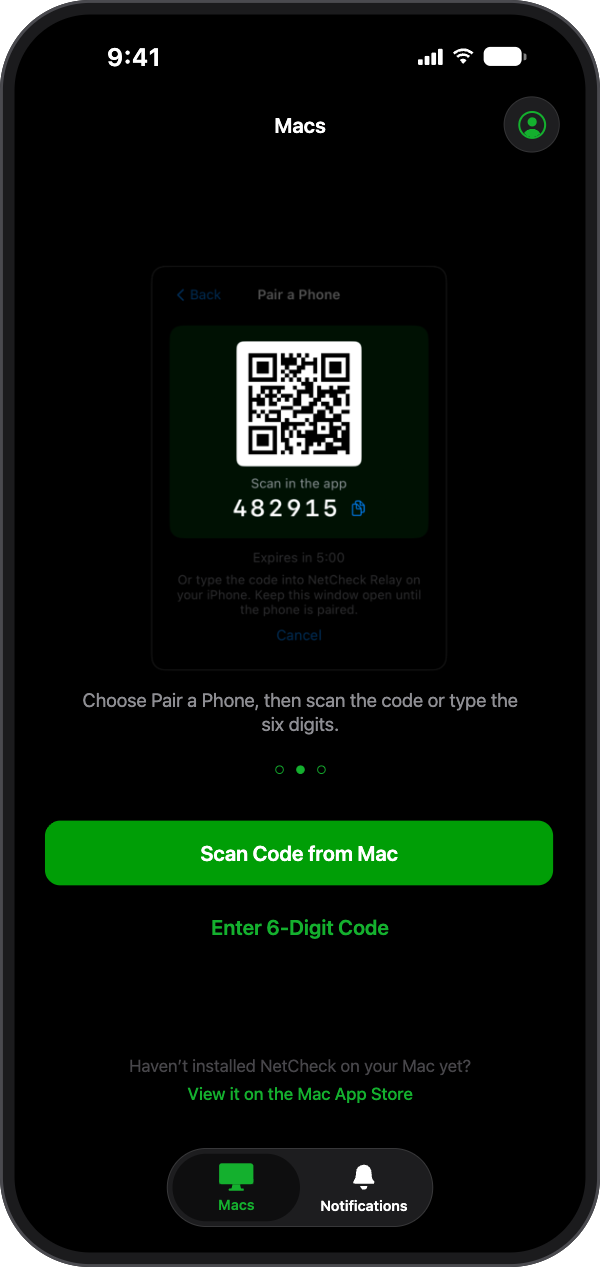
  5. Open Heartbeat Relay in NetCheck on your Mac and choose Pair a Phone. Your Mac shows a code.

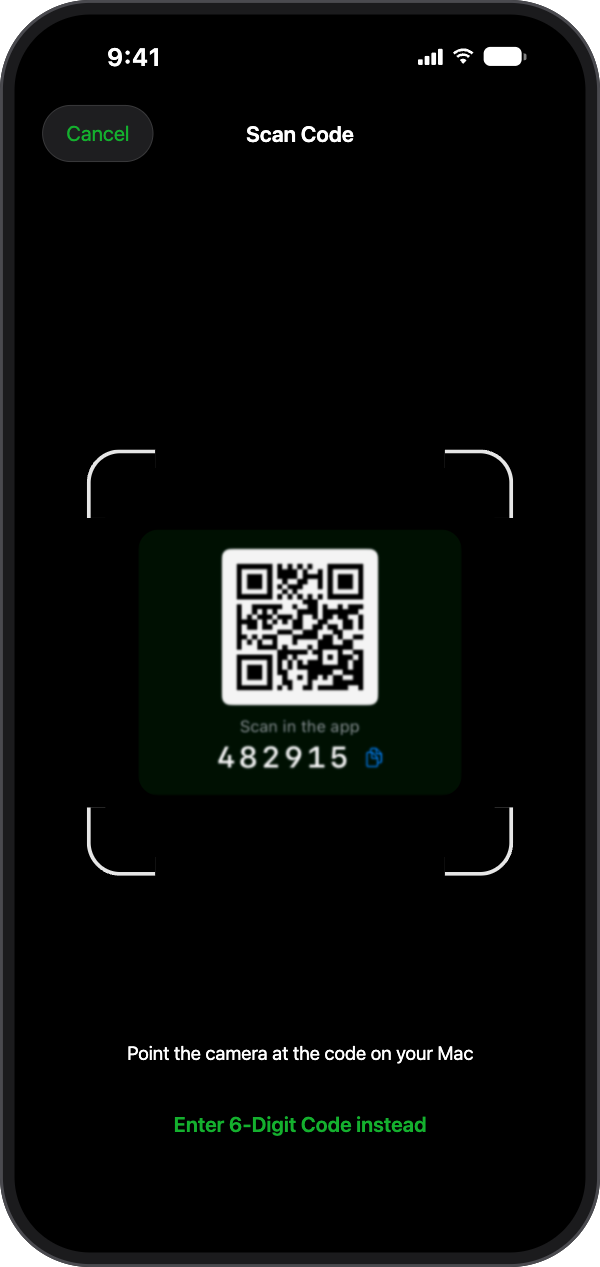
  6. Point the camera at the code on your Mac.

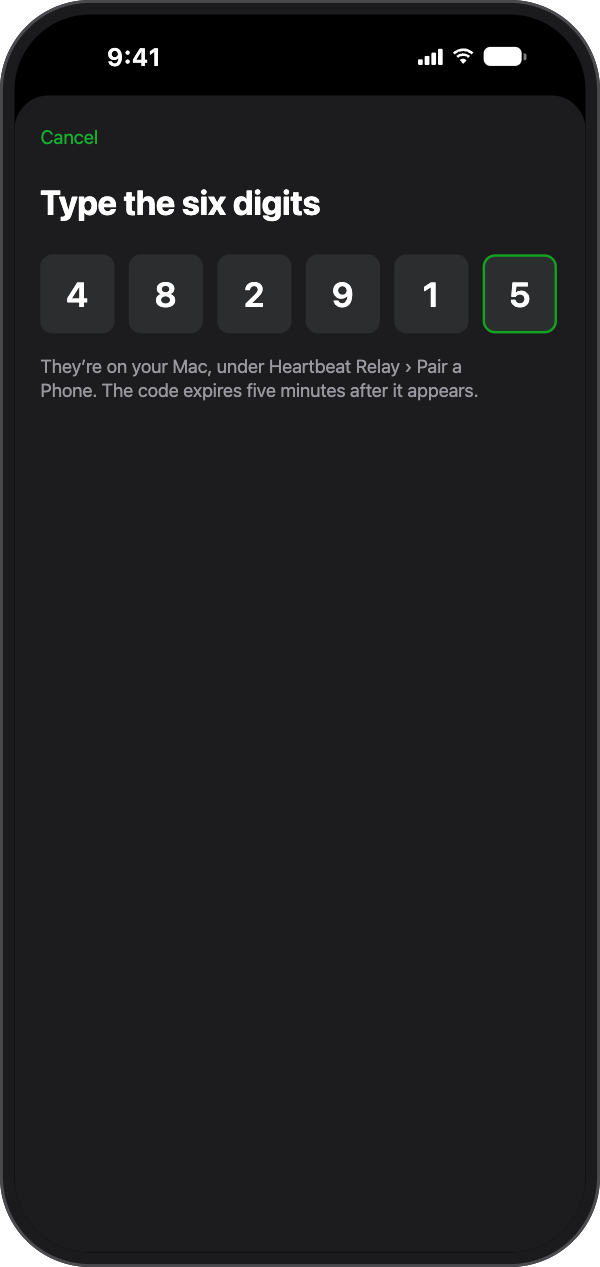
  7. If you would rather not use the camera, type the six digits shown under the code.

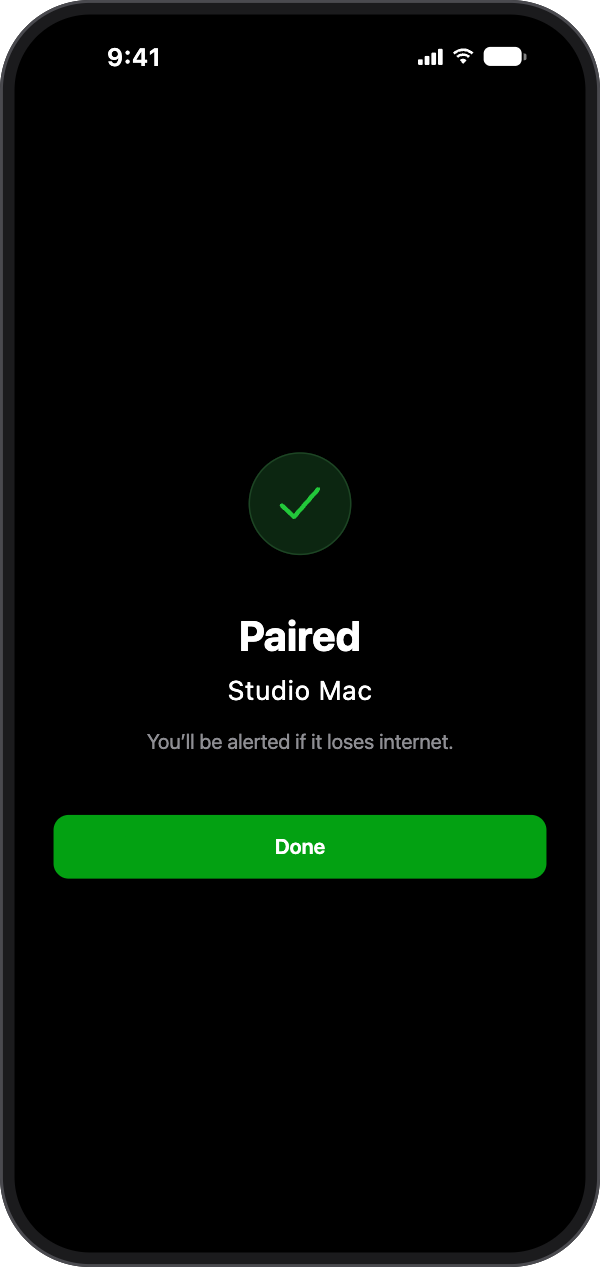
  8. Your Mac is paired as soon as the code is accepted.

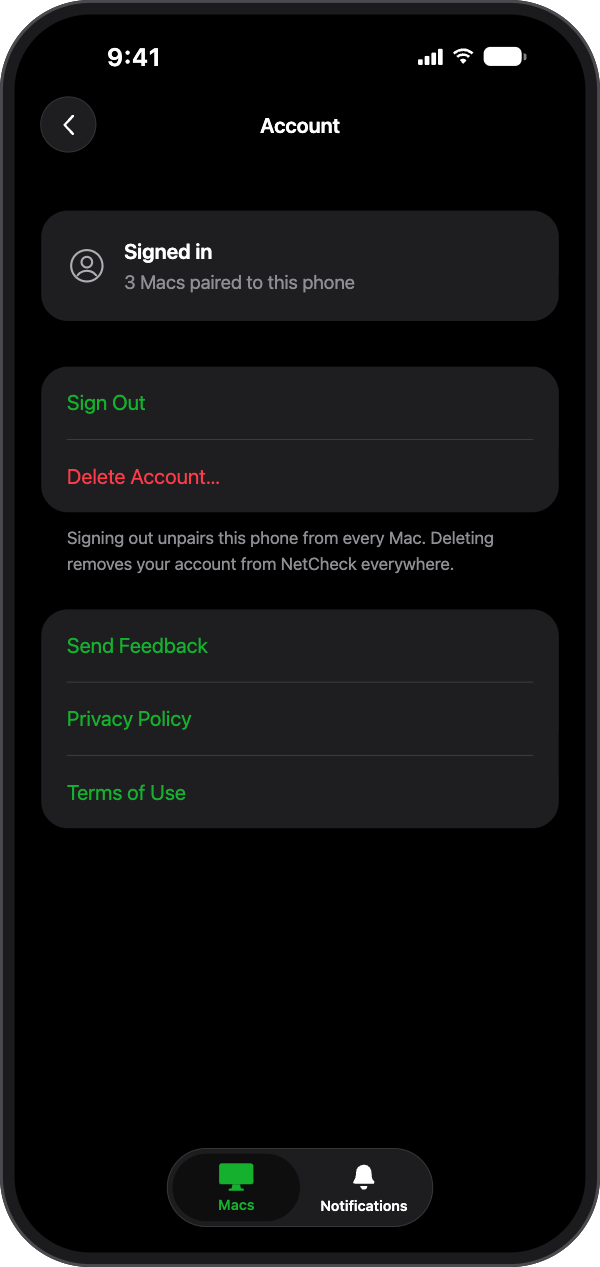
  9. Sign in with Apple. We ask for no name and no email address. No ads, no tracking, no analytics. You can delete your account from inside the app.

An iPhone lock screen with a NetCheck Relay notification: 'Studio Mac dropped offline. No response for about 2 minutes.' An iPhone lock screen with two NetCheck Relay notifications: 'Studio Mac is back online. Was down for about 4 minutes.' above the earlier 'Studio Mac dropped offline'. The Macs tab listing three paired Macs: Studio Mac, Online; Office iMac, Dropped offline; Home Mac mini, Asleep or shut down, each with the time of its last check-in. The Notifications tab listing past alerts for each Mac, both 'dropped offline' and 'is back online', each with its date and time. The Macs tab before any Mac is paired, showing the code card from the Mac, a 'Scan Code from Mac' button and an 'Enter 6-Digit Code' link. The Scan Code screen with the camera pointed at the code shown on the Mac. The 'Type the six digits' screen with the code 482915 entered. The confirmation screen: 'Paired. Studio Mac. You'll be alerted if it loses internet.' with a Done button. The Account screen showing 'Signed in, 3 Macs paired to this phone', with Sign Out, Delete Account, Send Feedback, Privacy Policy and Terms of Use.

Works with NetCheck for Mac

Your Mac does the checking in. NetCheck Relay delivers the alert.

  • Needs NetCheck on your Mac, with Heartbeat Relay turned on there
  • An outage is reported after a small number of missed check-ins, typically within a couple of minutes
  • Your iPhone or iPad needs its own internet connection to receive the alert
  • Up to five iPhones or iPads can be paired with one Mac

Plans and common questions

Heartbeat Relay is not a safety, security or emergency service.